
BookPay Payment Links: Get Paid in Your DMs
Every tattoo artist knows this drill.
A client slides into your DMs. They love a flash piece, or they want something custom. You go back and forth on size, placement, date. Eventually you land on a price. Now what?
You send a Venmo handle, or a PayPal link, or your Revolut bank details, and hope they actually pay the deposit. If they do, you copy the details into your own calendar by hand, because the "payment" that just happened lives nowhere connected to a booking. No confirmation page. No record. No policies attached. Just a screenshot of a transfer, sitting in your camera roll next to fifty other screenshots exactly like it.
Multiply that by every client, every week, and you're not running a booking system, you're running a filing cabinet made of DMs.
The deposit isn't the problem. The disconnect is.
Taking a deposit over DM isn't inherently broken. Artists have done it for years, and it works well enough that whole apps have been built just to formalize that one step: send a link, take a payment.
But a payment link that only takes a payment misses the point. The moment a client pays a deposit, something real should exist on the other side of that transaction: a booking, with a date, a client record, your cancellation policy attached, and a place for the two of you to actually communicate. Otherwise you've just moved the paperwork problem from your DMs to your payment app.
That's the gap we built Payment Links to close.
From DM to booking, in three taps
With Payment Links on BookPay, you generate a link right from the conversation you're already having. Set the amount, the date and time, a title for the piece, and how long the session runs.
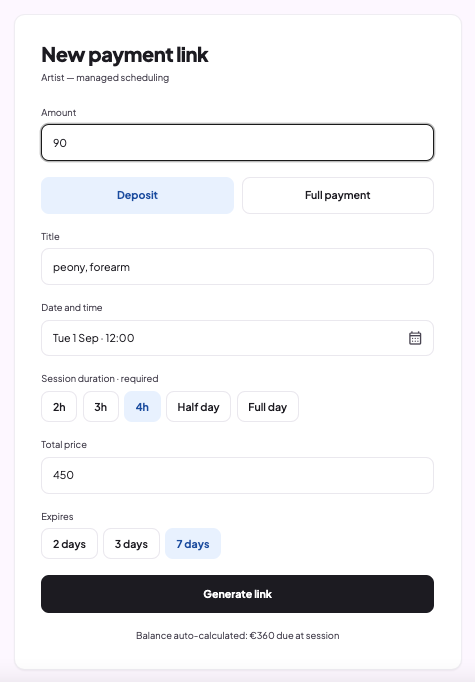
Copy the link and paste it into the conversation you're already having with your client.
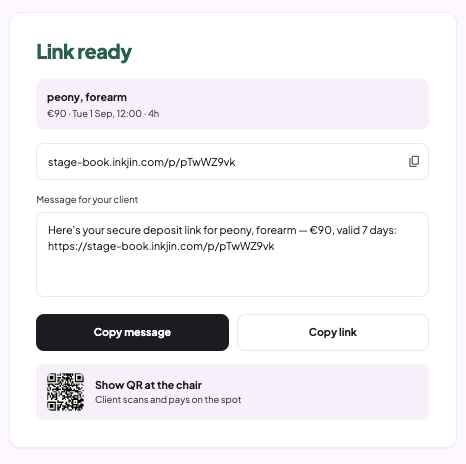
That's the artist side, done in 10 seconds.
For the client, it's three simple screens.
- First, an offer page: who you are, what the piece is, the date, the amount, and a Book button.
- Second, their basic details, name, email, phone.
- Third, the actual payment: your policies laid out plainly, payment options, and a Pay button.
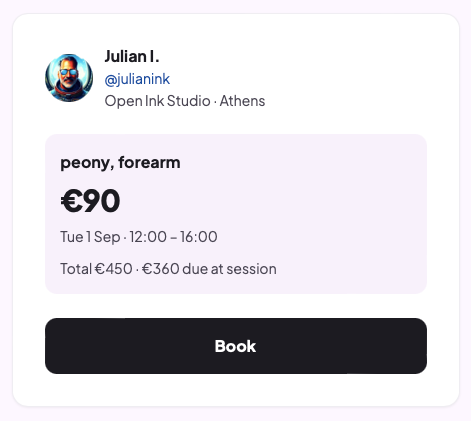
The moment they tap Book and pay the deposit the date is confirmed. No twenty-question intake form standing between a client and their deposit.
Your phone is now a payment terminal
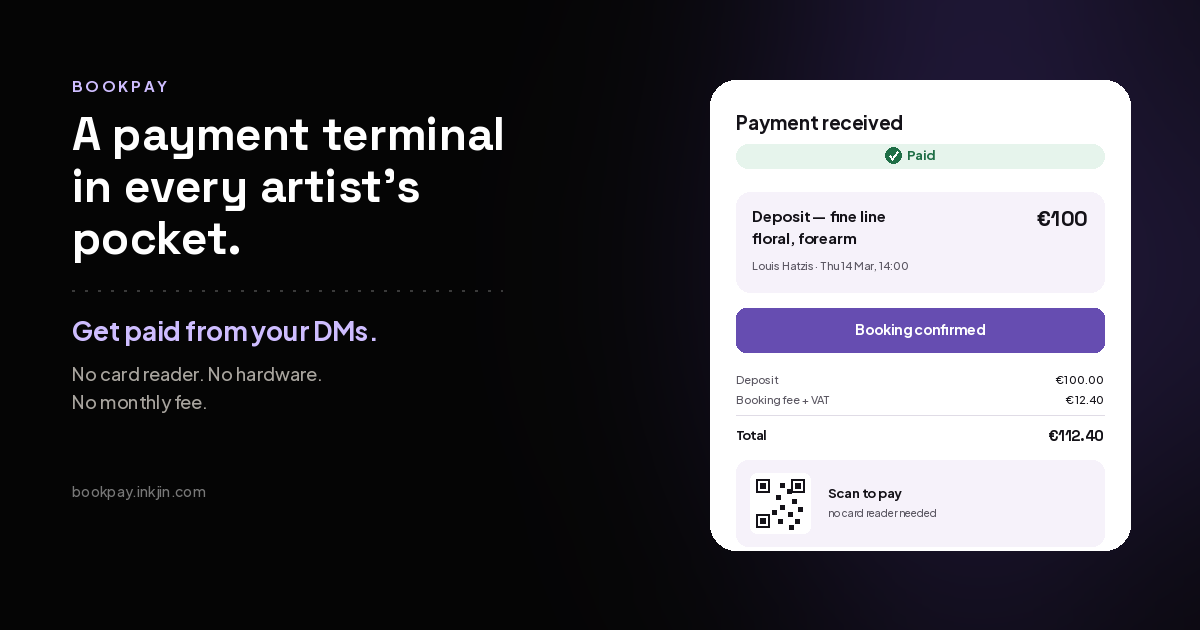
Payment Links turn your phone into a mobile payment terminal. Accept payments anywhere, any time, with no extra hardware. No card reader to buy, no terminal to charge, no monthly fee for a machine you use twice a week. Just your Android or iPhone.
Walk-ins: A client walks in on a Saturday afternoon. Small piece, an hour, and they don't have cash. Pull up a link on your phone, show them the QR code, and they pay before you break out the needles. By the time you start, there's a booking on your calendar with their name, their email, and their payment attached. That client is now in your client list instead of just a deposit on your bank statement or a client you need to remember.
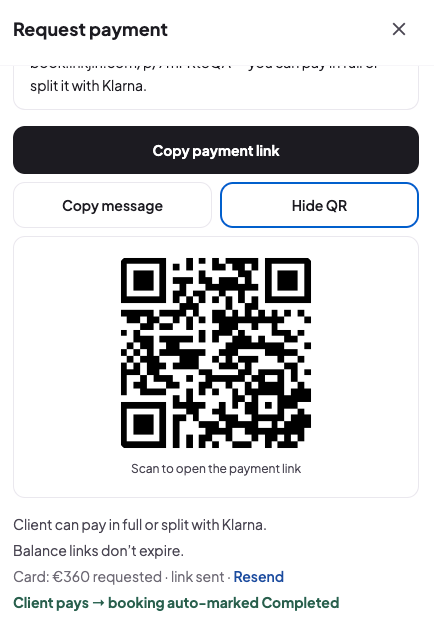
Consultations, cover-ups & other services: Someone wants an old piece dealt with, and you know before you touch it you need to see the skin, talk through what's actually possible, and probably book two or three sessions. Send a link for the consultation fee alone. Title it "Cover-up consult, left shoulder" and set it for an hour. Now the consult is a real booking with a date, and when they commit to the full piece afterward, the next link goes out for the first session.
Cash payments: Your client shows up for the session and when you're finished the client hands you cash. Open the booking, mark it "Paid in cash," and enter the completion code from the client's confirmation email. The booking closes, the record's accurate, and you never have to touch a card reader.
Conventions: Your client paid a deposit before the convention. Now they're in your booth for the session, and you need the rest. Open the booking, tap Collect, and show the QR code. They pay in seconds, and it's settled before you pick up the machine.
Instagram DMs, WhatsApp, Messenger, Telegram, a text message, an email, or a QR code you hold up at the chair.
Anywhere you can paste a link or show a code, you can take a payment and get a booking out of it. Touch-ups, session two of a sleeve, a friend of a client who messaged on WhatsApp instead of Instagram. The terminal is already in your pocket.
The intake form questions come after, not before
Here's the part that matters most: once the deposit clears, it's not a transaction that evaporates into your payment processor's dashboard. It's a real booking on BookPay, the same as any other. It shows up on your calendar, in your client list, with everything attached.
The detailed questions, reference photos, placement specifics, anything you'd normally ask before a session, go out afterward, in a simple follow-up: "Before your session Thursday, please complete these questions..." You get the information you need without making a client jump through hoops before they've even secured the slot.
Built for how you actually book
We designed two ways to run this, because not every artist works the same way. If your calendar is open and you're happy to let clients grab whatever's free, auto-scheduling lets them pick a slot straight from the link. If you'd rather control the calendar yourself, managed scheduling lets you propose the date and time, and the client just confirms.
Collect the balance, not just the first deposit
And Payment Links isn't just for the first deposit. You use them to collect the balance for any booking.
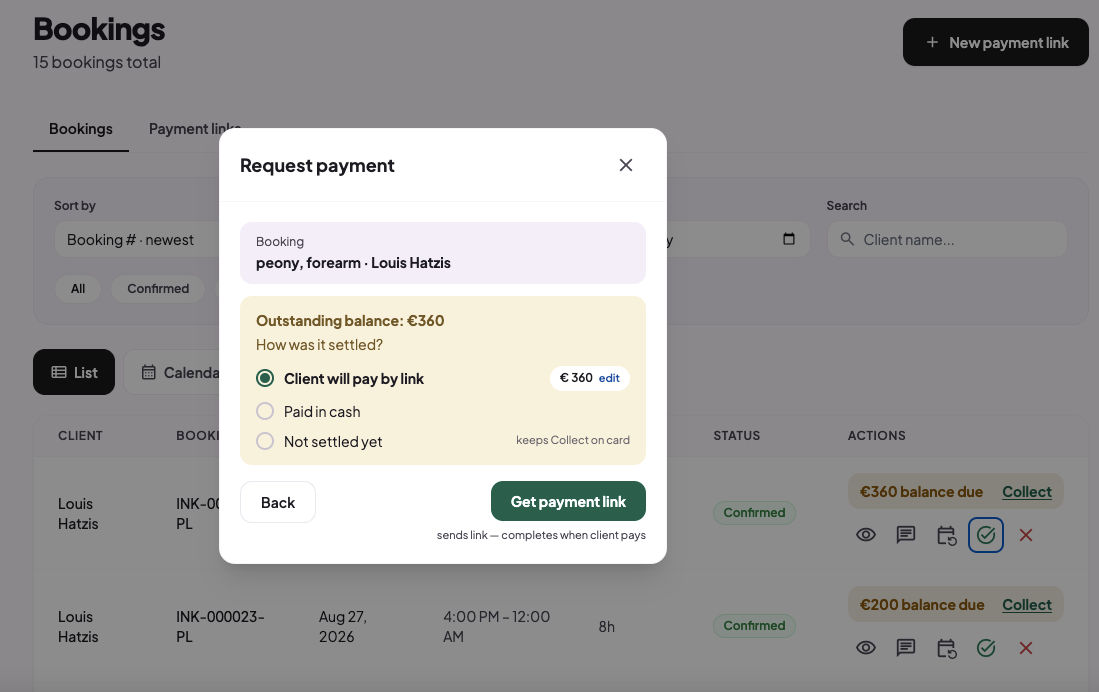
Say a client already booked and paid their deposit, and now their session is coming up and you need the rest of the payment before they sit in your chair, or you want to offer them instalments for the balance with Klarna after the session is completed.
You don't have to start a new conversation or build a link from scratch. Open the existing booking and generate a balance link right there. Or instead of sending the link you can just show the customer a QR code so they can pay.
The remaining amount is calculated for you automatically, so there's no new form, no re-entering their details, no chasing them down for a bank transfer. Just send the link and get paid.
The deposit is the start, not the finish line
We built Payment Links because the alternative, informal payment apps duct-taped onto a DM conversation, treats the deposit as the end of the job. For an artist, it's the beginning. It's the moment a casual conversation becomes a real commitment: a date on the books, a client with expectations, a session to prepare for.
A payment link should create a booking, not just move money. That's the whole idea.
Payment Links is live now on BookPay. If you're already on the platform, you'll find a button on your dashboard and your bookings. If you're not on BookPay yet, this is a good reason to bring your bookings into one place.