
Bookpay Just Got a Lot Smarter
Bookpay adds AI auto-fill, Smart Pricing, Instagram import, guest spots, and FAQs — less admin, more time tattooing.

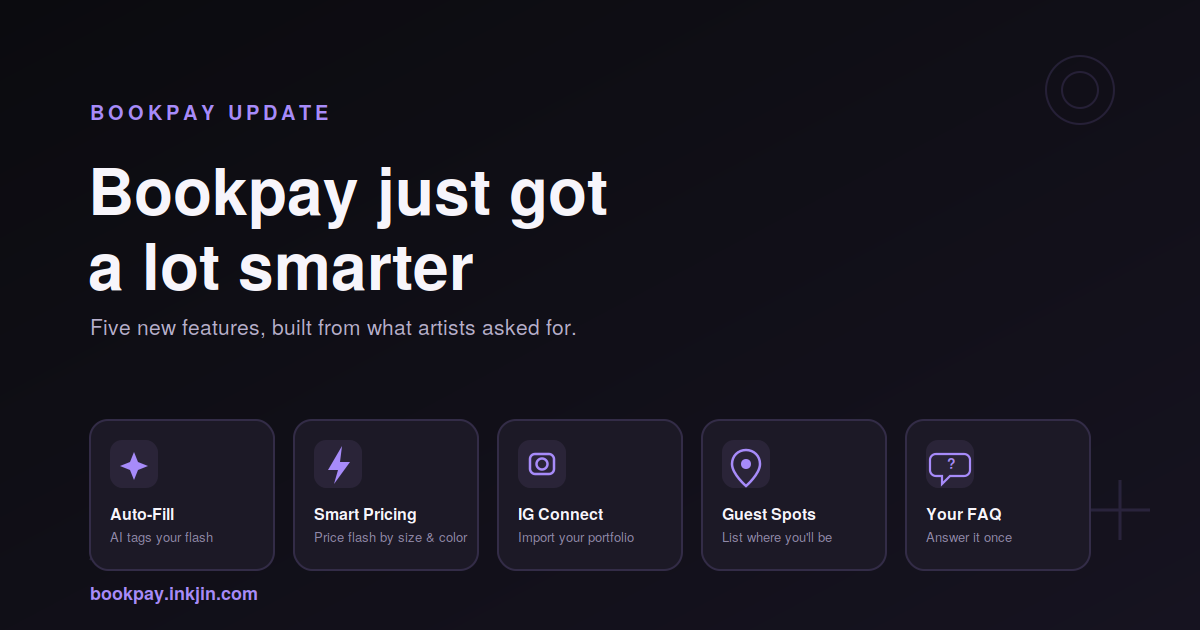
When we launched Bookpay the goal was simple: give artists a booking page that actually works like their business does, without the DMs, the spreadsheets, and the chasing deposits. A few weeks in, artists are signing up and telling us what's still slow, still manual, still annoying. So we built it.
Here's what's new.
AI Auto-Fill for Your Available Flash Designs and Portfolio
Uploading flash used to mean filling out a form for every single design: title, style, color, tags, the works. Now you just upload the image. Bookpay's AI looks at the piece and fills in the title, color mode, style, and matching tags on its own. That's it. All you need is to confirm everything is correct, upload, and you're done.
Less typing means less mistakes and more designs that actually make it onto your page, making more of your real work bookable instead of being buried on your iPad.
Smart Pricing
Pricing every available flash design one by one gets old fast, especially if your rates are pretty consistent by size. Smart Pricing lets you set up a table once with a size and price range, and every new design gets priced automatically the moment you upload it and enter its size. Set the table for black & grey, add a color multiplier if you charge more for color work. This way you're covered from your smallest flash to your biggest piece.
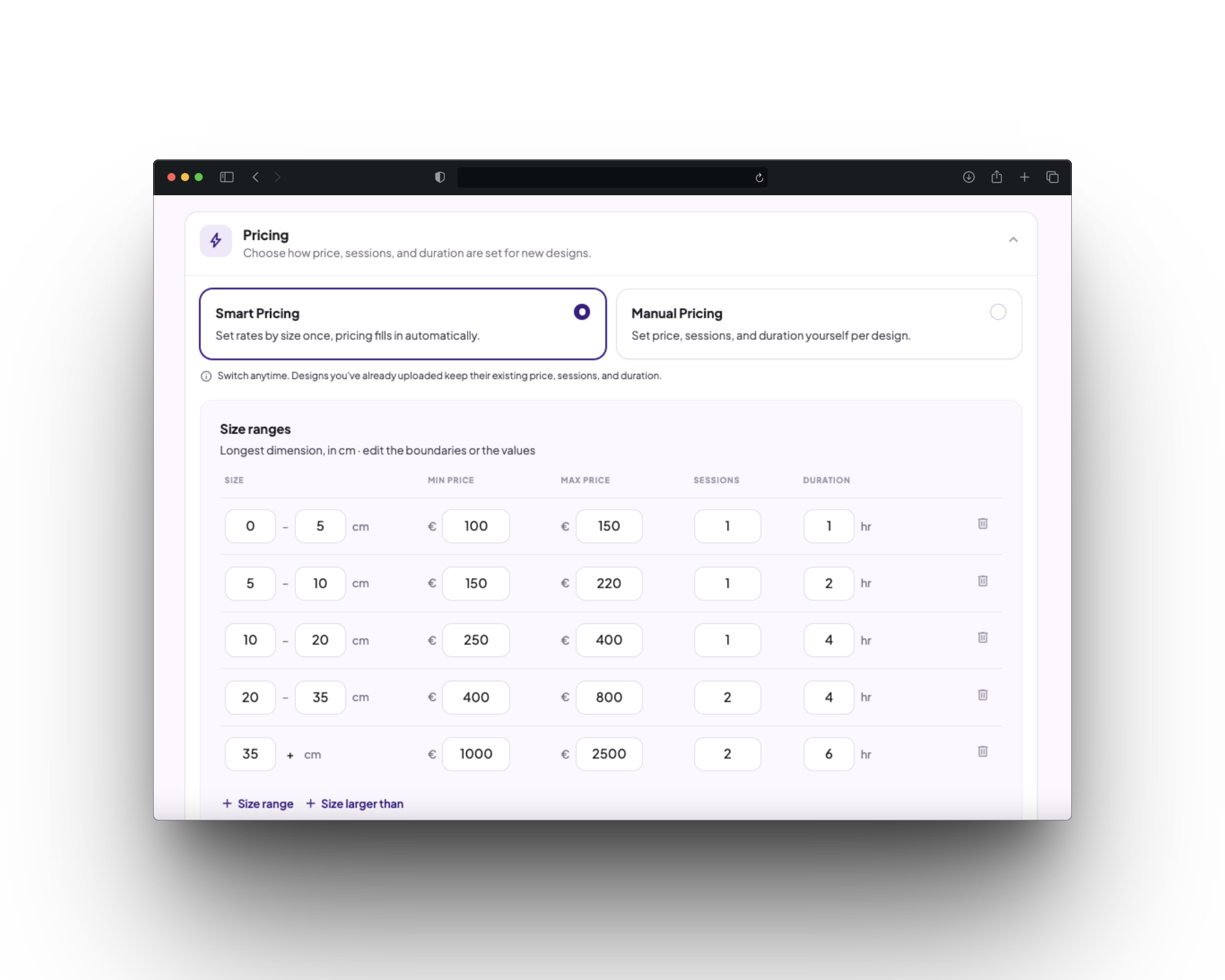
If you'd rather price each design yourself, you still can. Smart Pricing is just an option to make pricing your work easier. You can always update your pricing table, instead of re-pricing each design.
Instagram Connect
Your best portfolio is probably already on Instagram. No one wants to go through uploading and tagging everything all over again. IG Connect links your Instagram profile and pulls your work straight into Bookpay, without you having to re-upload a thing.
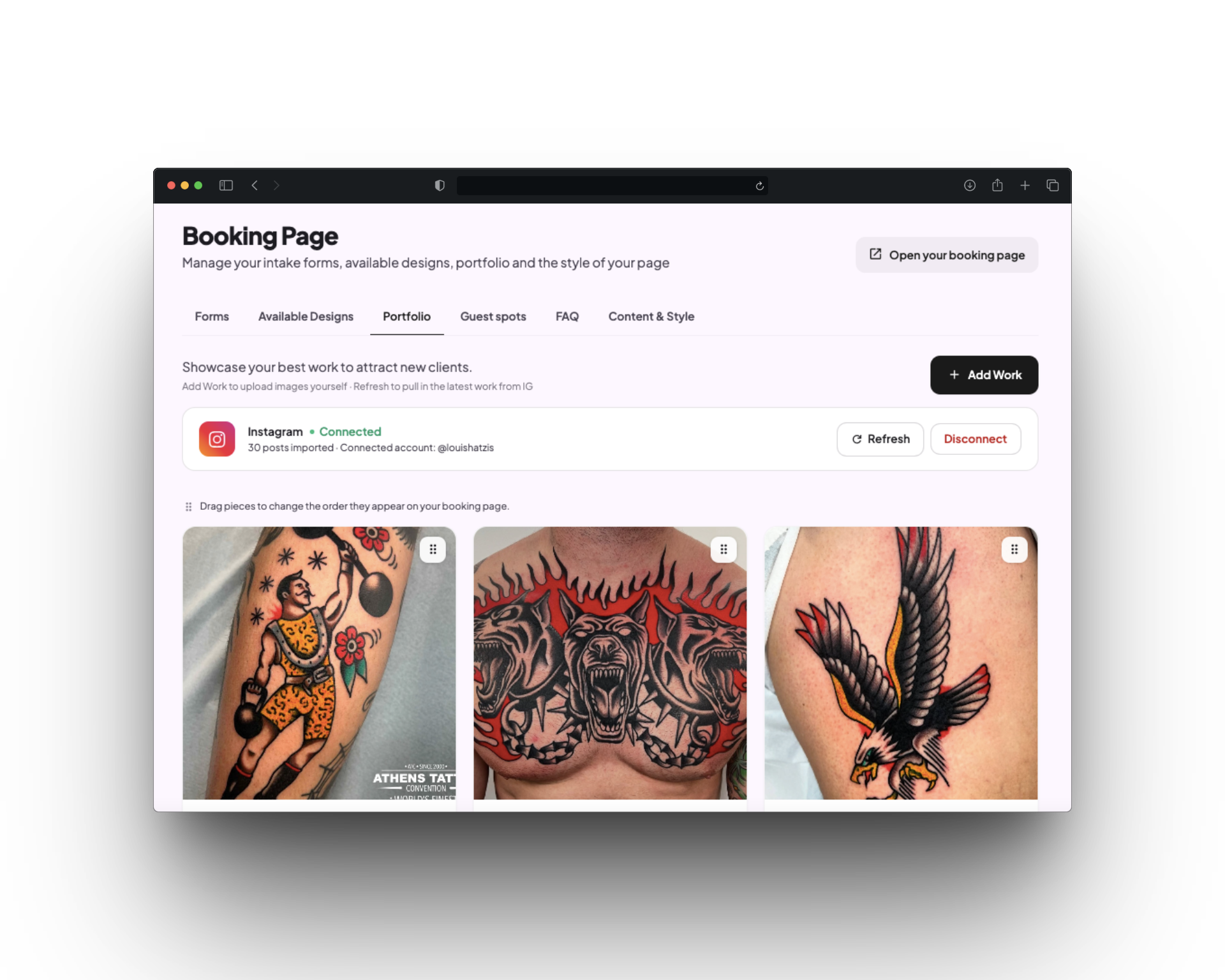
It's a one-time import to start that will get your last 30 posts, with a refresh button whenever you want to pull in newer work. You're always in control of what's visible on your public profile.
Guest Spots
Traveling for a guest spot used to mean adding it to your Instagram bio, a separate post, a flurry of DMs, and hoping people saw it in time.
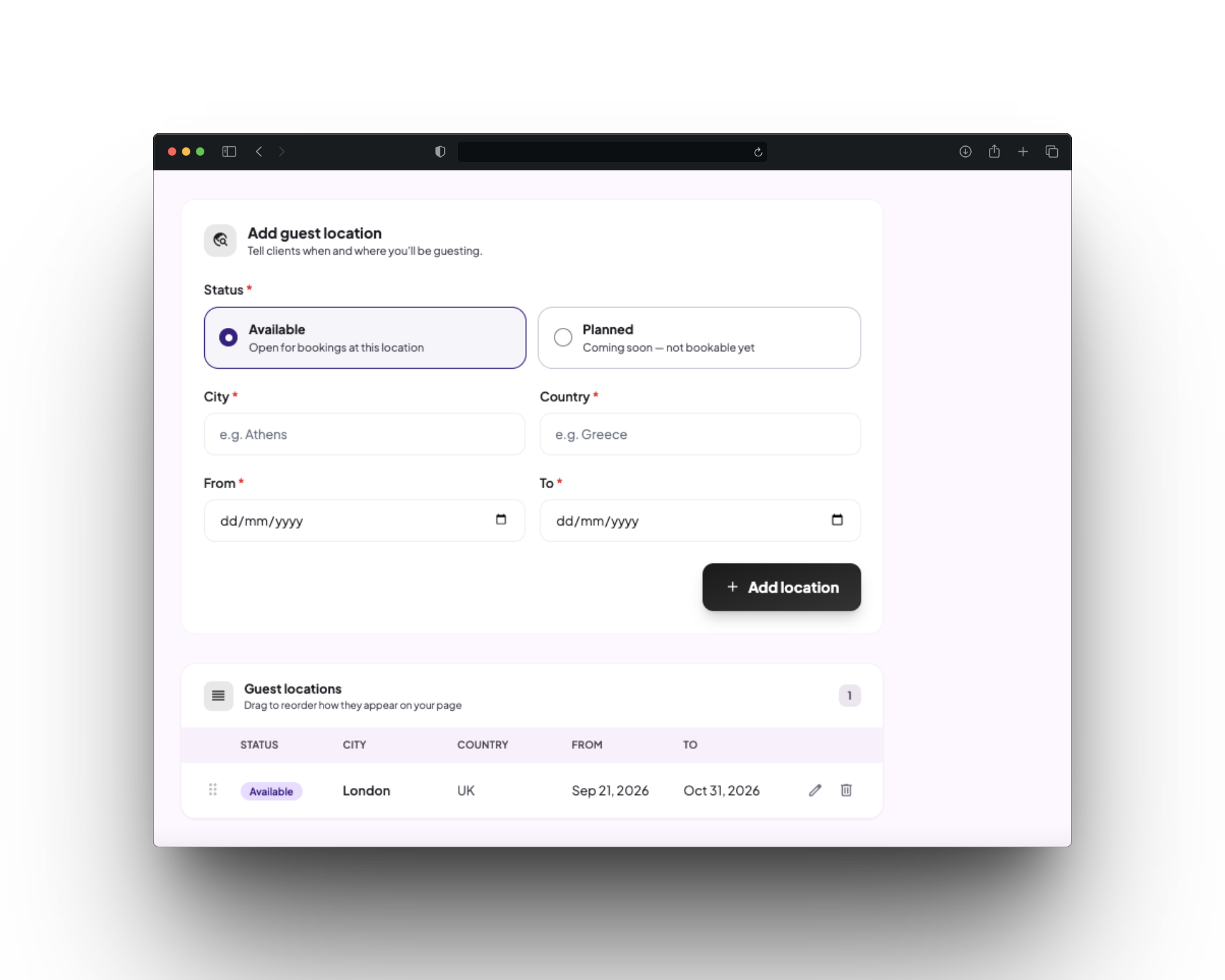
Now you can list your upcoming guest spots directly on your booking page: what city you'll be in and when you'll be there, so clients that want to book with you already know when and where to catch you. Clients can reserve a spot, by sending details of what they want to get and paying a deposit.
Your Own FAQ
Every artist gets asked the same handful of questions when they talk to clients in DMs or before every session: how deposits work, what to do if a client needs to reschedule, what your policy is on touch-ups. Now you can answer them once, on your own page, in your own words. Add your FAQ on your booking page, and let clients read the answers before they ever need to ask.
Why This Matters
None of these features exist for their own sake. Each one takes something artists were already doing manually: tagging designs, pricing available flash designs, cross-posting guest spots, answering the same DM five times a day. It moves it off your plate so you do less admin and have more time for your craft.
Bookpay is free for artists, and all five features are live now. If you're already on Bookpay, log in and try them out. If you're not yet, opening your page to start accepting bookings takes under 5 minutes.